Redis Tools and AI Redis Optimization Guide
Table of Contents
- Introduction: Why Redis Tools and AI Redis Matter
- How an In-Memory Database Works
- Redis Tools for AI, Monitoring, and Testing
- First Steps with AI Redis Tools for Redis Optimization
- Redis Caching Strategies for Reliable Optimization
- AI Redis Semantic Cache and Vector Search
- Query Optimization and Profiling with Redis Tools
- Redis Optimization: Memory and Reliability Checklist
- Real-World Redis Caching Applications and Common Pitfalls
- Conclusion: Start Redis Optimization with One Workload
- Introduction: Why Redis Tools and AI Redis Matter
- How an In-Memory Database Works
- Redis Tools for AI, Monitoring, and Testing
- First Steps with AI Redis Tools for Redis Optimization
- Redis Caching Strategies for Reliable Optimization
- AI Redis Semantic Cache and Vector Search
- Query Optimization and Profiling with Redis Tools
- Redis Optimization: Memory and Reliability Checklist
- Real-World Redis Caching Applications and Common Pitfalls
- Conclusion: Start Redis Optimization with One Workload
Introduction: Why Redis Tools and AI Redis Matter
Redis tools make an already fast in-memory database easier to understand, monitor, and improve. Speed does not prevent stale entries, wasteful queries, memory pressure, or poor data models. AI Redis usually means using AI assistants with Redis or Redis within AI applications.
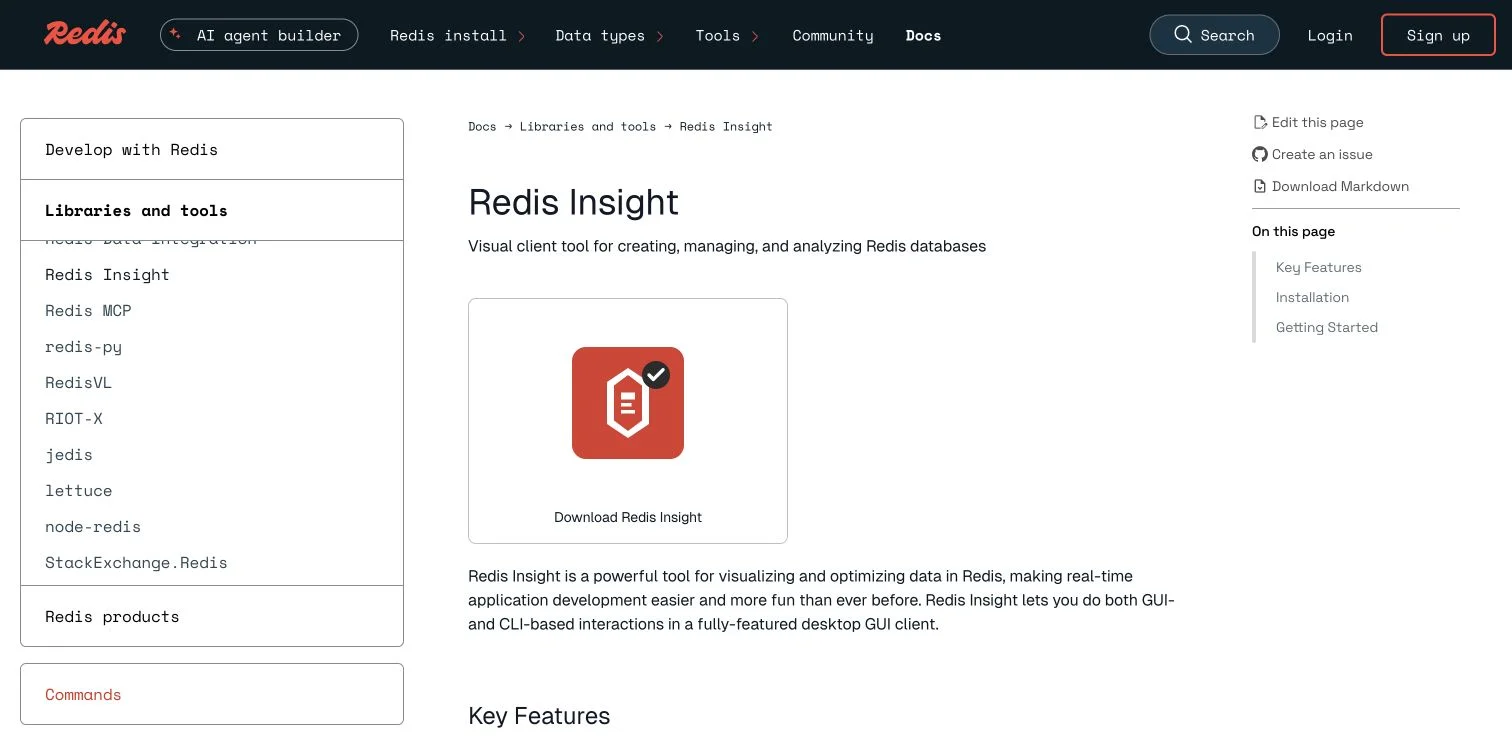
RedisInsight provides a visual interface for inspecting and working with Redis data..
TL;DR: Measure first, then improve Redis caching, query optimization, semantic cache, and vector search:
- Choose Redis tools for learning, monitoring, and testing
- Design caching strategies that limit stale data
- Use AI Redis features such as semantic caching and vector search
- Apply Redis optimization without guessing
Start with measurement. AI can suggest commands or queries, but latency, memory, and cache-hit data should determine their value.
How an In-Memory Database Works
Redis keeps working data in RAM, avoiding many traditional database disk-access delays. The Redis overview says common operations often finish in under one millisecond and a modest server can process more than 100,000 operations per second, depending on hardware, network distance, command choice, value size, and concurrency.
Redis data structures suit different jobs:
| Data type | Practical use | Example key |
|---|---|---|
| String | Cached pages, tokens, counters | page:pricing:v4 |
| Hash | Objects with several fields | customer:1842 |
| Sorted set | Rankings and time-based scores | campaign:clicks |
| Stream | Ordered events and work queues | orders:events |
| Vector data | Semantic search and recommendations | product:embedding:42 |
A durable SQL or document database often remains the source of truth, with Redis storing frequently requested results. Redis can persist data through RDB snapshots, an append-only file, or both, reducing restart risk without replacing tested backups.
Because Redis processes many core commands quickly and sequentially, one oversized scan or response can delay other requests.
Redis Tools for AI, Monitoring, and Testing
No Redis tool is best for every task. Visual interfaces help beginners inspect keys; command-line and load-testing tools support repeatable optimization.
| Redis tool | Best use | What it contributes |
|---|---|---|
| Redis Insight | Visual inspection and troubleshooting | Browses keys, analyzes memory, displays Slow Log data, and profiles commands |
| Redis Copilot | Learning and query drafting | Converts plain-language questions into Redis Search queries and explains commands |
redis-cli |
Repeatable diagnostics | Runs INFO, SLOWLOG, latency checks, scans, and scripts |
| RedisVL | Building Python AI applications | Provides vector search, semantic caching, routing, and schema management |
memtier_benchmark |
Load testing | Measures throughput and latency under controlled traffic |
Redis Insight combines a data browser, profiler, advanced CLI, database analysis, and Redis Copilot. Copilot can draft searches for products below a price and other queries without requiring memorized Redis syntax.
Treat its output as a draft: test it on sample data, inspect it, and profile it before production.
RedisVL is a Python library for AI Redis applications with vector similarity search, filters, and semantic caches. Use Redis Insight to understand a database, redis-cli to automate operations, and RedisVL to integrate Redis into an AI application.
First Steps with AI Redis Tools for Redis Optimization
Start Redis optimization with one measurable, repeated slow operation rather than moving an entire application.
-
Define the problem. Record request volume, median and P95 latency, error rate, and database load; “product pages feel slow” is too vague to test.
-
Choose the source of truth. Identify the data owner. If PostgreSQL owns product prices, Redis should hold a disposable copy with clear invalidation.
-
Create readable keys.
product:42:v3is easier to inspect than an unexplained identifier. Include tenant or locale where data must remain separated. -
Add expiration. Set a TTL with
EXPIREorSETwith an expiration option. Start conservatively and shorten it for frequently changing information. -
Observe real traffic. Use
INFO,SLOWLOG GET, Redis Insight, and application metrics to find slow commands, large values, low hit rates, and reconnection problems. -
Load-test the change. Replay realistic values and traffic outside production, then compare the same latency percentiles before and after.
Keep a rollback path. Cache failures should normally fall back to the source database, with rate limits to prevent overload when needed.
Redis Caching Strategies for Reliable Optimization
Redis caching requires precise answers: when is an entry written, and when does it become untrustworthy? Choose a strategy based on how often the data changes.
| Strategy | How it works | Good fit | Main risk |
|---|---|---|---|
| Cache-aside | Read Redis first, then load and cache on a miss | Product pages and user profiles | Briefly stale values |
| Write-through | Update the database and cache together | Frequently read account settings | More complicated writes |
| Query cache | Store the result of an expensive query | Reports and campaign dashboards | Many parameter combinations |
| Semantic cache | Reuse answers to similar prompts | Support bots and internal assistants | A loose match can return the wrong answer |
The Redis cache-aside guide recommends TTL-bounded entries for repeated reads. At 5,000 catalog requests per second and an 80% cache-hit rate, Redis could answer 4,000, leaving about 1,000 per second for the primary database. This is illustrative, not promised.
If thousands of clients miss when a popular key expires, they may request the same database row, causing a cache stampede. Use randomized TTLs, single-flight, or a short SET lock with NX and an expiration. Never create a lock without an expiry.
AI Redis Semantic Cache and Vector Search
An exact cache matches identical keys; a semantic cache compares meaning. Questions such as “How do I return an item?” and “What is your returns process?” may reuse an approved response, reducing repeated model calls.
A semantic-cache flow:
- Convert the incoming prompt into an embedding vector.
- Search Redis for nearby vectors within a chosen distance threshold.
- Filter by tenant, locale, model version, or policy version.
- Return an approved cached response on a strong match.
- Call the model on a miss, then store the new response with a TTL.
The Redis semantic-cache documentation reports applicable workloads returning answers in tens of milliseconds and reducing token spending by 30% or more. Results depend on repetition, thresholds, and model cost, so test your prompts.
RedisVL provides SemanticCache with configurable TTL and distance thresholds, plus vector search for recommendations and document retrieval. Strict thresholds improve precision but reduce hits; loose thresholds save more calls but risk unrelated answers.
Review misses and false matches before changing that threshold.
Query Optimization and Profiling with Redis Tools
A profiler is often the best Redis optimization tool. AI can explain but not replace its output. Use this sequence for commands and Redis Search queries:
-
Find slow operations. Check application traces and
SLOWLOG GET; the Slow Log measures server execution, not the full network trip. -
Inspect the data shape for query optimization. Find large collections, oversized values, and commands returning thousands of elements; replace
KEYSwith incrementalSCANin application and administrative workflows. -
Profile search queries. Use
FT.EXPLAINCLIfor parsing,FT.PROFILEfor execution, andFT.INFOfor index size and document counts. -
Reduce unnecessary work. Request only needed fields and results. Avoid broad wildcard searches, unnecessary sortable fields, and indexes on never-queried fields.
-
Batch independent commands. Pipelining cuts network round trips. The Redis pipelining guide reports up to tenfold throughput in its test and recommends bounded batches, such as 10,000 commands, to control reply-buffer memory.
For a marketing dashboard, cache reports by campaign ID and date range instead of recalculating each chart. Profile the query first, then set a TTL based on required freshness.
Redis Optimization: Memory and Reliability Checklist
RAM is fast but finite. Set maxmemory and an eviction policy before it runs low; when data exceeds the limit, Redis applies that policy, as the Redis eviction documentation explains.
| Item | What to check | Redis optimization action |
|---|---|---|
| Memory limit | Whether maxmemory is set below available RAM |
Leave space for the operating system, replication, and persistence work |
| Eviction policy | Whether every key may be removed | Consider allkeys-lfu for a general cache or noeviction for protected data |
| Expiration | Percentage of keys without a TTL | Add TTLs to disposable cache and AI Redis entries |
| Large keys | Values or collections using unusual memory | Split data or redesign access patterns |
| Persistence | Recovery point and restart time | Test RDB, AOF, and backup restoration rather than assuming they work |
Redis Insight can find memory-heavy namespaces and expiration patterns, but analyzes up to 10,000 keys before extrapolating. Confirm its findings with MEMORY USAGE, INFO memory, and controlled scans.
Track cache-hit rate alongside evictions. Frequent evictions and falling hit rates suggest an oversized dataset, excessive TTLs, or a mismatched policy.
Real-World Redis Caching Applications and Common Pitfalls
- E-commerce catalog: Cache product records for 60 seconds, invalidate them after price changes, and monitor hit rate; the primary database remains authoritative.
- Campaign reporting: Cache results for five minutes; if 1.2 million identical queries occur daily and hit rate reaches 70%, about 840,000 calculations can be avoided.
- Customer-support assistant: A 35% validated semantic-cache hit rate across 40,000 monthly questions avoids roughly 14,000 model calls. Separate entries by language and policy version.
- Recommendation search: Store product embeddings, retrieve limited candidates, then apply business filters. In Redis tests,
int8vector quantization reduced memory by 75% and improved search speed by 30% while retaining 99.99% accuracy. Treat these vendor benchmark figures as motivation to test, not a guarantee.
Common mistakes weaken these projects:
| Pitfall | Why it causes trouble | Safer response |
|---|---|---|
| Trusting generated queries | An AI assistant can return inefficient or incorrect commands | Test on sample data and inspect FT.PROFILE |
| Sending sensitive context | Schema details and sample keys may leave the local environment | Review data rules and remove confidential fields |
| Caching without invalidation | Users receive old prices, permissions, or policies | Use TTLs, versioned keys, and event-based invalidation |
| Testing only averages | A good mean can hide severe tail latency | Track P50, P95, and P99 under realistic load |
The Redis Copilot FAQ says context-aware assistance may send index schemas and sample keys to Redis and OpenAI. Check privacy requirements before connecting production data.
Conclusion: Start Redis Optimization with One Workload
Redis tools work best when they turn an observable problem into a controlled experiment. Start with one repeated read or slow query, record latency and database load, add a bounded cache with an expiration policy, then compare results under realistic traffic.
In the first week:
- Connect Redis Insight or
redis-clito a test database. - Inspect memory, Slow Log entries, and cache-hit metrics.
- Test one cache-aside or semantic-cache workflow with a rollback path.
Use AI Redis assistants to explain commands and draft queries, but let measurements decide what reaches production. A well-managed in-memory database should simplify and accelerate the application. If it adds hidden state, unclear ownership, or unbounded memory, fix those rules before adding more Redis tools.
Frequently Asked Questions
Which Redis tool should I use first?
Start with Redis Insight if you want visual key inspection, memory analysis, and Slow Log access. Use redis-cli for repeatable diagnostics and automation, RedisVL for Python-based AI features, and memtier_benchmark for controlled load testing.
How should I choose a TTL for cached data?
Base the TTL on how quickly the source data changes and how much staleness users can tolerate. Begin conservatively, monitor hit rates and stale responses, and combine expiration with event-based invalidation for sensitive data such as prices or permissions.
How can I prevent a cache stampede when a popular key expires?
Add randomness to TTLs so popular keys do not expire simultaneously. You can also use single-flight request handling or a short Redis lock created with SET NX, always with an expiration to prevent abandoned locks.
When is semantic caching appropriate for an AI application?
Semantic caching works well when users repeatedly ask differently worded questions that can share an approved answer. Separate entries by factors such as tenant, language, model, and policy version, and tune the similarity threshold by reviewing both misses and incorrect matches.
What should I measure before and after a Redis optimization?
Record request volume, error rate, database load, cache-hit rate, and latency percentiles such as P50, P95, and P99. Compare the same metrics under realistic traffic because averages alone can hide slow tail requests.
How do I troubleshoot slow Redis operations?
Use application traces with SLOWLOG GET to distinguish server execution time from network latency. Inspect large values and result sets, replace blocking KEYS usage with SCAN, and profile Redis Search queries with FT.PROFILE, FT.EXPLAINCLI, and FT.INFO.
Can Redis serve as the primary source of truth?
Redis can persist data, but many caching architectures keep a durable SQL or document database as the authoritative source. Define ownership explicitly, configure and test RDB or AOF recovery where needed, and ensure cache failures can fall back safely without overwhelming the primary database.
Related Articles

Supabase vs Neon: AI App Features and Pricing in 2026
Compare Supabase vs Neon for AI apps: pgvector, database branching, scaling, pricing and free plans. Find the right backend for your workflow.
Redis vs PostgreSQL: Key Differences and Use Cases
Compare Redis and PostgreSQL on use cases, performance, durability and licensing. Learn when to choose either database or use both together.

AI SQLite Tools: A Guide to Local Database AI
Learn how AI SQLite tools simplify SQL, enable semantic search, and support safe mobile, desktop, and embedded database workflows.