Text-to-SQL Training: Fine-Tuning and Safety
Table of Contents
- Introduction
- When Should You Train a Text-to-SQL Model?
- Define the Custom SQL Model and Its Boundaries
- Prepare a Text-to-SQL Dataset for a Custom SQL Model
- How to Fine-Tune SQL Generation Step by Step
- Evaluate SQL Model Training and Schema Linking Correctly
- Real-World Natural Language to SQL Applications and Production Safety
- Common SQL Model Training Pitfalls
- Conclusion
- Introduction
- When Should You Train a Text-to-SQL Model?
- Define the Custom SQL Model and Its Boundaries
- Prepare a Text-to-SQL Dataset for a Custom SQL Model
- How to Fine-Tune SQL Generation Step by Step
- Evaluate SQL Model Training and Schema Linking Correctly
- Real-World Natural Language to SQL Applications and Production Safety
- Common SQL Model Training Pitfalls
- Conclusion
Introduction
Reliable text-to-SQL training rarely hinges on teaching a model the SELECT statement. The real work is teaching table meaning. The model must learn precise business definitions for paid customer, active server, and last quarter. Valid SQL can still return the wrong answer.
TL;DR: This guide covers reliable text-to-SQL data, fine-tuning, evaluation, and production safety. The system should:
- Connect business questions to the right tables and columns
- Produce SQL in your database dialect
- Clarify ambiguous requests
- Refuse unsafe or unsupported operations
When Should You Train a Text-to-SQL Model?
A natural-language-to-SQL model receives a question, relevant schema, and sometimes business definitions or sample values. It returns SQL to retrieve the answer. Because it lacks a current database copy, it must query the database at runtime.
Before custom training, test whether prompting and schema retrieval solve the problem. Train only for measured, recurring errors such as misunderstood internal terms, wrong join paths, or the wrong SQL dialect.
| Approach | Best Use | Main Limitation |
|---|---|---|
| Prompting | Testing ideas with a capable general model | Long prompts and inconsistent behavior |
| Schema retrieval | Large or changing databases | May retrieve wrong tables |
| Supervised fine-tuning | Recurring queries and company terminology | Requires reviewed training examples |
| LoRA or adapter tuning | Open-model training with limited hardware | May trail full training on difficult tasks |
| Full fine-tuning | Large, specialized datasets with enough compute | Highest cost and operational effort |
A custom SQL model can produce more consistent dialect, formatting, and business logic. It may let a smaller model handle routine requests faster. Fine-tuning should address a demonstrated weakness, not be the first experiment. Research on SQL-PaLM found that training-data coverage, diversity, database content, and schema selection all affect text-to-SQL performance. More examples are insufficient.
Define the Custom SQL Model and Its Boundaries
Define the model’s permissions before collecting data. A marketing assistant may need read-only PostgreSQL queries over campaign and order tables. An IT assistant may require another dialect, stricter access, and incident terminology. Combining them without a clear input contract complicates evaluation.
A typical text-to-SQL pipeline:
- The application receives the question and user’s access context.
- Schema linking and retrieval selects relevant tables, columns, relationships, and glossary entries.
- The model generates SQL or requests clarification.
- A SQL parser validates statement type, referenced objects, and syntax tree.
- The application estimates cost, enforces time and row limits, and blocks prohibited operations.
- A read-only account executes the approved query.
Training mainly changes step three. Keep permissions and validation outside the model so bad predictions cannot ignore them.
| Design Decision | Example | Reason to Decide Early |
|---|---|---|
| SQL dialect | PostgreSQL 17 | Date functions and quoting vary by database |
| Allowed output | One SELECT or read-only CTE |
Simplifies validation and execution |
| Schema scope | Analytics tables only | Reduces wrong joins and data exposure |
| Ambiguity response | NEEDS_CLARIFICATION |
Prevents confident guesses |
| Result limit | 1,000 rows | Controls load and accidental bulk access |
| Success target | Execution accuracy by query type | Makes improvement measurable |
Keep changing information, current schema, column descriptions, and permitted tables, in the runtime context. Train stable behavior: terminology, preferred joins, dialect, output format, and refusal rules.
Prepare a Text-to-SQL Dataset for a Custom SQL Model
Each example should pair a realistic question with reviewed SQL. Sources include analyst-written queries, sanitized logs, reporting requests, and public benchmarks. Remove credentials and personal data. Replace sensitive values, preserving relationships, date ranges, nulls, and behavior-changing duplicates.
Public datasets broaden SQL coverage. Spider contains 10,181 questions, 5,693 distinct SQL queries, and 200 databases across 138 domains. BIRD contains 12,751 question-SQL pairs, 95 databases totaling 33.4 GB, and 37 professional domains. They teach broad patterns, not your company’s definitions of qualified lead or active account.
Each example needs more than a question and answer:
| Field | Example | Why It Matters |
|---|---|---|
| Dialect | PostgreSQL | Prevents incompatible functions |
| Schema | Tables, columns, types, foreign keys | Provides valid objects and join paths |
| Business context | Paid revenue excludes refunded orders | Defines local terminology |
| Question | Which campaigns produced over 10,000 in paid revenue last month? | Represents the user’s request |
| Target SQL | Human-reviewed executable query | Defines desired behavior |
| Difficulty label | Join, aggregation, date filter | Supports balanced evaluation |
A compact record might contain:
Dialect: PostgreSQL
Schema:
campaigns(id, name)
orders(id, campaign_id, ordered_at, revenue, status)
Definition: Paid revenue includes orders where status = paid.
Question: Which campaigns produced over 10000 in paid revenue last month?
SELECT c.name, SUM(o.revenue) AS paid_revenue
FROM campaigns AS c
JOIN orders AS o ON o.campaign_id = c.id
WHERE o.status = 'paid'
AND o.ordered_at >= date_trunc('month', current_date) - interval '1 month'
AND o.ordered_at < date_trunc('month', current_date)
GROUP BY c.id, c.name
HAVING SUM(o.revenue) > 10000;Start with roughly 200 to 500 carefully reviewed examples; expand only when evaluation improves.
Include paraphrases, difficult joins, empty results, unclear questions, and rejectable requests. Synthetic examples can fill gaps, but execute and review every target query.
Split by schema, time, or business intent, not randomly across near-duplicate questions. Start with 70% training, 15% validation, and 15% testing. Keep the test set untouched. If the same request’s paraphrases span training and testing, the score measures memorization, not useful generalization.
How to Fine-Tune SQL Generation Step by Step
Choose a base model that understands instructions and SQL, with enough context for your schemas. Run it against the frozen test set before training. This baseline shows whether fine-tuning helped and which errors changed.
Then fine-tune SQL generation systematically:
- Use one input order: dialect, schema, relationships, definitions, question, and output rules.
- Normalize harmless formatting differences, but preserve meaningful distinctions.
- When supported, use output-only loss so the model predicts the answer rather than repeats the prompt.
- Start with supervised fine-tuning; for an open model, LoRA is usually the practical first trial.
- Evaluate each run; stop when validation declines as training performance rises.
- Record the base model, dataset version, schema version, prompt template, seed, and training settings.
LoRA freezes the original model and trains smaller adapter matrices. The Hugging Face PEFT documentation explains that this reduces the number of trainable parameters and memory use while allowing adapters to be stored separately. Comparable performance is possible, not guaranteed.
| Setting | Sensible First Experiment | What to Watch |
|---|---|---|
| Epochs | 2 to 3 | Memorization across passes |
| LoRA learning rate | Around 1e-4 |
Unstable loss or degraded behavior |
| Full fine-tuning learning rate | Around 1e-5 |
Large updates erasing prior ability |
| Effective batch size | 16 to 64 examples | Noisy or memory-heavy training |
| Maximum sequence length | At least the input 95th percentile | Truncated schemas or SQL targets |
| Checkpoint choice | Best validation result | Final checkpoint may not be best |
These are starting experiments, not universal settings. Useful ranges vary with architecture, dataset size, context length, and hardware. Change one major variable at a time to keep results explainable.
Train refusals as deliberately as successful SQL generation. Include questions with missing date ranges, unknown business terms, prohibited write requests, and insufficient schema information. The desired output may be clarification instead of invented SQL. That is often more useful than another benchmark point.
Evaluate SQL Model Training and Schema Linking Correctly
SQL has many equivalent forms. Inner joins, aliases, and predicate order can vary. Exact comparison can mark correct answers wrong. Execution can mislead when different queries return the same rows on a small test database.
Use several metrics:
| Metric | What It Measures | Weakness |
|---|---|---|
| Syntax validity | Whether the database parses the query | Valid SQL may answer the wrong question |
| Exact or structural match | Similarity to the reviewed query | Penalizes equivalent SQL structures |
| Execution accuracy | Whether result sets match | Coincidental matches can hide logic errors |
| Schema-link accuracy | Correct tables and columns selected | Does not test the full query |
| Safety compliance | No blocked operations or objects | Says nothing about business correctness |
| Latency and cost | Production performance | Fast output may be wrong |
One text-to-SQL study found common execution and exact-match methods had false-positive and false-negative rates up to 23.0% and 28.9%. Its improved tree matching reduced them to 0.3% and 2.7% on the evaluated data. The ETM paper is a useful warning against trusting one score.
Run predictions against an isolated, fixed database snapshot. Seed nulls, duplicates, boundary dates, missing relationships, and values that expose plausible but incorrect queries. Measure separately:
- Single-table filters and aggregations
- Multi-table joins and many-to-many relationships
- Dates, time zones, and fiscal periods
- Nested queries, CTEs, and window functions
- Ambiguous, impossible, and prohibited requests
- Schemas absent from training
A launch gate might require 95% execution accuracy for common business intents, 85% across the full test set, zero write statements, and 100% blocking of forbidden tables. Set thresholds from business risk. Dashboard assistants and financial-record systems need different error tolerances.
Real-World Natural Language to SQL Applications and Production Safety
The best examples come from existing analyst requests. These cases show company definitions matter as much as SQL grammar.
| Use Case | User Question | Training Detail That Prevents Failure |
|---|---|---|
| Marketing | Which paid campaigns acquired profitable customers last quarter? | Define acquisition source, profit, refunds, and fiscal quarter |
| IT operations | Which servers had at least three important incidents in 30 days? | Map severity codes and exclude retired servers |
| Subscription finance | How did monthly recurring revenue change by plan? | Define upgrades, downgrades, credits, and currency conversion |
| Customer support | Which open accounts are at renewal risk? | Explain open account, renewal window, and risk signals |
A common mistake is training on SQL without business definitions. The model may learn plausible SQL that conflicts with trusted finance or marketing reports.
Fine-tuning is not a security boundary. Route generated SQL through controls the model cannot override:
- Parse SQL into an abstract syntax tree and allow only approved statement types.
- Use a database identity with read access only to required schemas and tables.
- Apply row-level and column-level permissions for each user.
- Block multiple statements, instruction-hiding comments, and unbounded expensive queries.
- Add query timeouts, row limits, cost checks, and audit records.
- Exclude sensitive results from training logs unless retention is approved.
The OWASP SQL Injection Prevention guidance recommends least privilege and specifically says read-only accounts should receive access only to the tables they need. When possible, parameterize user values; never use regular expressions as the sole SQL validator. Grammar-aware methods can help difficult decoding. The PICARD research showed that rejecting invalid tokens during generation can prevent malformed SQL, though application-level checks are still required.
Common SQL Model Training Pitfalls
Most projects disappoint because of data or evaluation choices, not training failures.
| Pitfall | What Goes Wrong | Better Practice |
|---|---|---|
| Random near-duplicate splits | Test scores become inflated | Split by schema, intent, template, or time |
| Synthetic data alone | Questions sound unlike real users | Mix sanitized requests with reviewed synthetic coverage |
| One SQL string per intent | Equivalent approaches look like mistakes | Evaluate structure and result sets together |
| Full schema in every prompt | Context grows and table selection becomes noisy | Retrieve only relevant schema sections |
| Baking changing metadata into weights | Renamed columns make the model stale | Retrieve current schema at runtime |
| No refusal examples | Model guesses when information is missing | Train clarification and rejection outputs |
| Broad execution permissions | One bad query exposes or changes data | Enforce read-only, least-privilege access |
| Tuning without a baseline | Cannot demonstrate improvement | Freeze an evaluation set before training |
After deployment, monitor question type, retrieved schema version, validation outcome, execution errors, latency, and user corrections. Avoid recording raw sensitive result sets by default. Regularly review failures, convert confirmed corrections into examples, and rerun the original holdout tests before each release.
Version the dataset, model adapter, prompt template, business glossary, and schema snapshot together. When scores drop, use this record to distinguish training, retrieval, and database changes. Sometimes the right fix is a clearer column description. Do not retrain automatically for every failure.
Conclusion
For successful text-to-SQL training, start with the database and real user questions. Define the scope, set a prompt baseline, and build a small reviewed dataset before a large run. Fine-tune only for repeatable evaluation gaps.
A straightforward first project:
- Select one database and 20 frequent business questions.
- Create 200 to 500 reviewed examples, including failures and clarifications.
- Train an adapter and compare it with the frozen baseline.
- Test execution, meaning, safety, latency, and unseen schemas separately.
- Deploy behind a parser, strict permissions, limits, and monitoring.
A custom SQL model is useful when it understands SQL and your organization’s definitions. Reliable data and guarded execution matter more than an impressive training run.
Frequently Asked Questions
Should I fine-tune a text-to-SQL model before trying prompting and schema retrieval?
No. First establish a prompting and schema-retrieval baseline, then fine-tune only when evaluation reveals recurring problems such as incorrect joins, misunderstood business terms, or dialect errors. Some failures are better fixed by improving schema descriptions or retrieval.
How many training examples are needed for a first text-to-SQL project?
A practical starting point is 200 to 500 carefully reviewed examples for a limited domain. Include realistic paraphrases, difficult joins, ambiguous requests, empty-result cases, and prohibited operations. Add more data only when measured evaluation shows that it improves performance.
What information should each training example include?
Each example should include the SQL dialect, relevant schema and relationships, business definitions, the user’s question, and human-reviewed executable SQL. Difficulty or intent labels are also useful for balancing the dataset and analyzing failures. Remove credentials and personal data while preserving details that affect query behavior.
How should text-to-SQL data be divided into training and test sets?
Split examples by schema, business intent, time period, or query template instead of randomly distributing similar paraphrases. A 70% training, 15% validation, and 15% testing split is a reasonable starting point. Keep the test set frozen so comparisons between models remain meaningful.
Which metrics best measure text-to-SQL quality?
Use a combination of syntax validity, structural comparison, execution accuracy, schema-link accuracy, safety compliance, latency, and cost. No single metric reliably captures whether a query is both logically correct and safe. Test against a fixed database snapshot containing nulls, duplicates, boundary dates, and other cases that expose subtle mistakes.
When should the model ask for clarification instead of generating SQL?
It should ask when essential details are missing, a business term is undefined, the available schema cannot support the request, or multiple interpretations would produce materially different answers. Clarification and refusal examples should be included deliberately in training. Confidently guessing is usually worse than returning a structured clarification response.
How can generated SQL be executed safely in production?
Treat fine-tuning as a behavior improvement, not a security control. Validate SQL with a parser, permit only approved read-only statements and objects, and execute through a least-privilege database account. Enforce row, time, and cost limits alongside user-specific permissions, audit records, and blocking of multiple statements or concealed instructions.
Related Articles
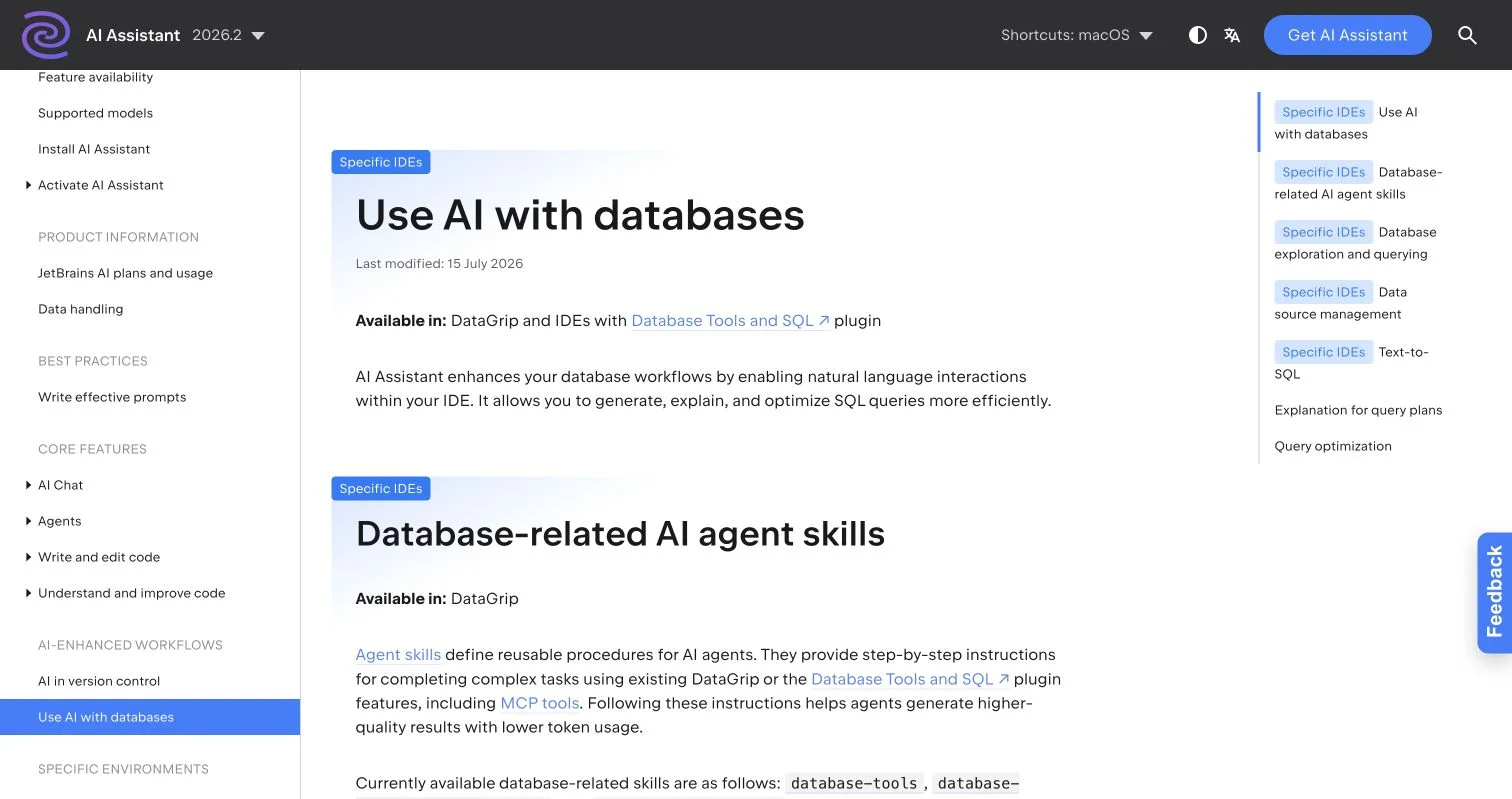
AI SQL Developer Tools: Generate, Debug, Optimize
Compare AI SQL tools and learn to generate, debug, optimize, and review database queries with schema context, testing, and safe workflows.
Schema Context for Text-to-SQL: A Practical Guide
Learn how schema context, metadata enrichment, and focused retrieval improve text-to-SQL accuracy, security, and business reliability.
NLP Databases: Text-to-SQL, Schema Linking & Safety
Learn how NLP databases use entity recognition, intent parsing, schema linking, and safeguards to turn natural language into reliable SQL.